Flexible Pricing, Your Way
Take complete control of your pricing strategy with NXCut's powerful discount and tips management system. Whether you're running promotions, rewarding loyal customers, or empowering your staff with gratuities, our system gives you the flexibility to manage it all seamlessly.
Unlike rigid POS systems that limit your pricing options, NXCut lets you create custom discount rules, apply them at the point of sale, and track their performance—all while maintaining a separate, transparent tips system that your team will love.
Discount Management Features
Multiple Discount Types
Apply percentage-based or fixed-amount discounts. Create custom rules for specific services, products, or entire transactions.
- •Percentage discounts (e.g., 20% off)
- •Fixed amount discounts (e.g., $10 off)
- •Service-specific discounts
- •Category-wide discounts
Real-Time Application
Apply discounts instantly at checkout with just a tap. See the updated total in real-time before finalizing the transaction.
- •Quick discount buttons for common promotions
- •Manual discount entry for custom amounts
- •Stack multiple discounts when permitted
- •Clear discount breakdown on receipts
Promotional Campaigns
Create time-limited promotions and special offers. Set start and end dates, maximum usage limits, and eligibility criteria.
- •Happy hour pricing
- •First-time customer discounts
- •Birthday and anniversary specials
- •Seasonal promotions
Loyalty Rewards
Reward your best customers with exclusive discounts. Track redemption and measure the ROI of your loyalty programs.
- •VIP client pricing tiers
- •Points-based redemption
- •Referral bonuses
- •Membership discounts
Revolutionary Tips System
The checkout secretary can NO LONGER give discounts and assign tips - solving a major shortfall in all other POS systems.
Client-Direct Tips Wizard
Our tips wizard lives on your custom website and is directly connected to your POS calendar in real-time. Clients confidentially assign tips per team member from their bookings, eliminating bias and ensuring fair compensation based on actual service quality.
Website-Based Wizard
Lives on your custom booking website, connected live to your POS calendar. Clients access it after their appointment.
Confidential & Fair
Clients confidentially assign tips per team member without reception interference. Ensures fair distribution based on service quality.
Smart Review Routing
Negative reviews stay internal for you to address. Positive reviews go directly to Google Reviews for your location.
How the Tips Wizard Works
Client completes payment at checkout (discounts applied by management only, NOT reception staff).
Client accesses your website and goes to the tips section where they see their schedule and the professionals who served them.
Client assigns tips per team member confidentially—directly connected to the live POS calendar showing who serviced them.
Client leaves an honest review. Negative reviews are captured in your internal system for you to address. Positive reviews go directly to Google Reviews for your location.
Tips sync instantly to the POS system and staff can view their earnings in real-time.
Why This Solves Industry Problems
Eliminates reception bias: Tips are assigned by clients based on actual service, not who's at checkout.
Protects client privacy: Clients tip confidentially without pressure or judgment.
Boosts positive reviews: Smart routing ensures only positive reviews reach Google, protecting your online reputation.
Ensures fair compensation: Staff earnings directly reflect service quality, improving motivation and retention.
Removes discount abuse: Only authorized management can apply discounts, preventing revenue loss.
See the Tips Wizard in Action
Experience the seamless flow of our client-direct tips and review system
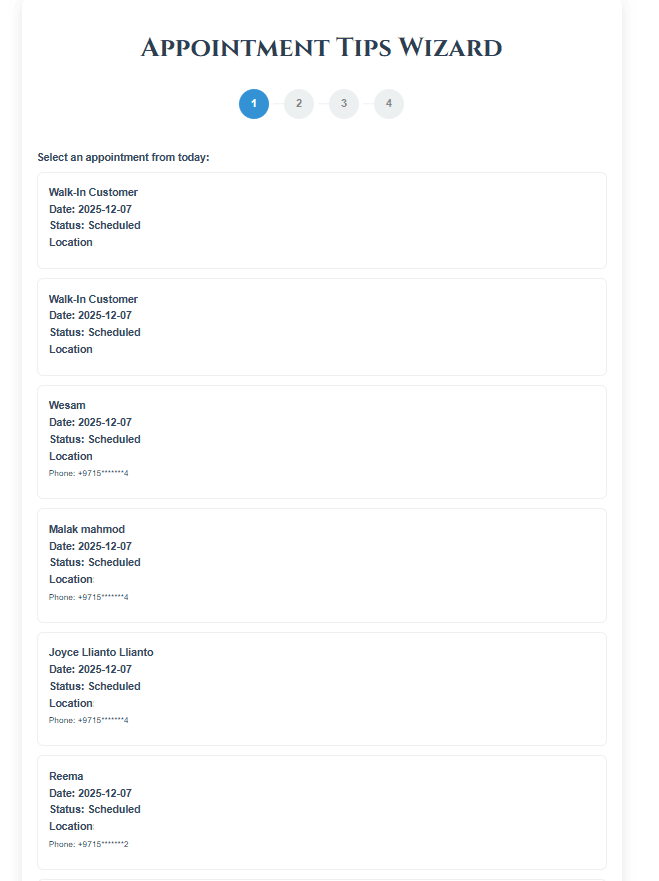
Step 1: Welcome
Clients access the wizard via a personalized link after their appointment
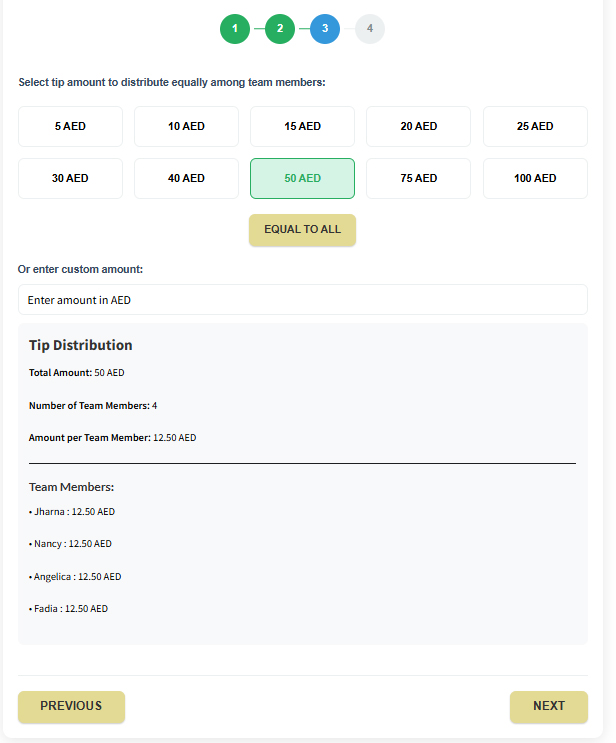
Step 2: Assign Tips
Select team members who serviced them and assign individual tips confidentially
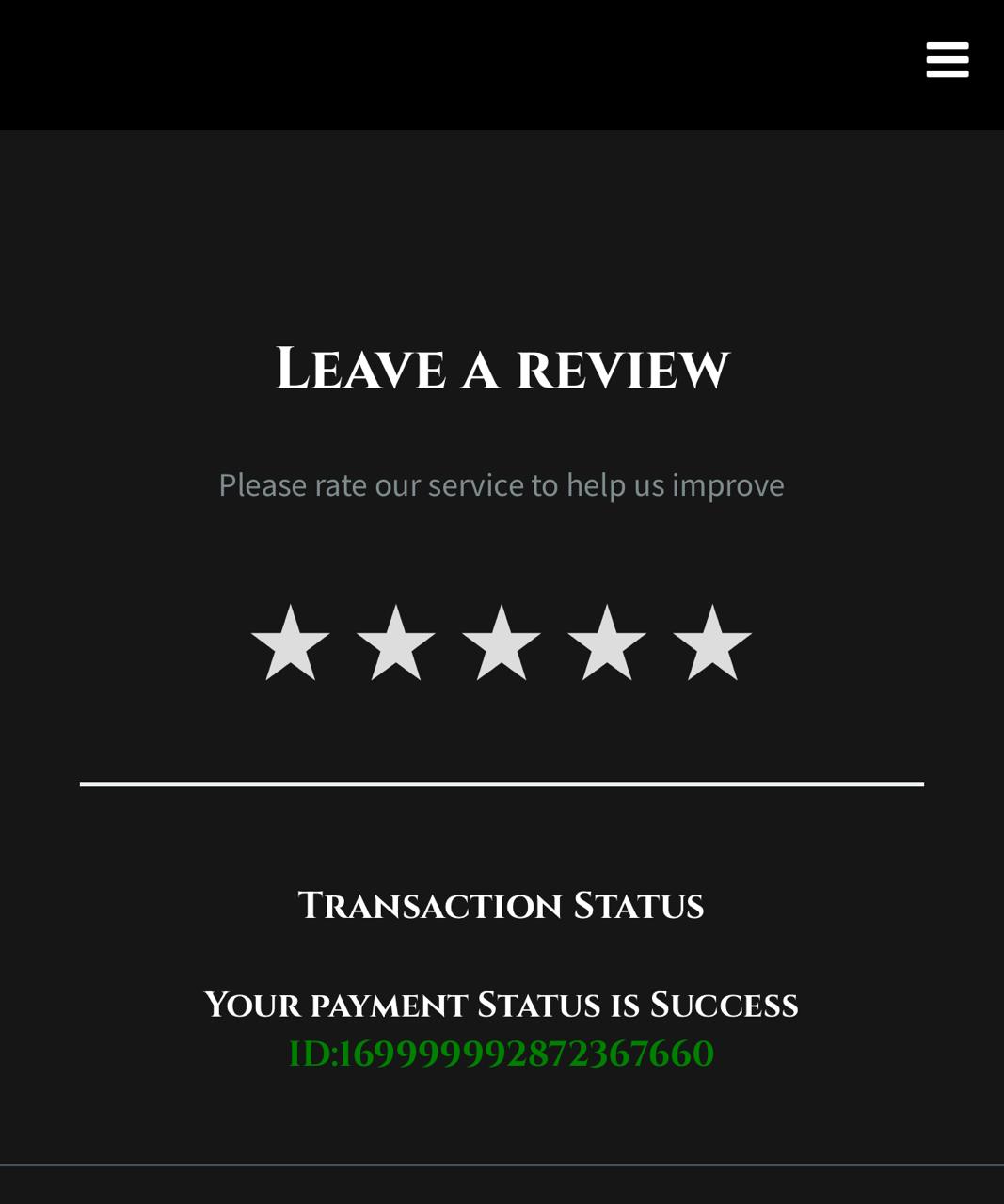
Step 3: Leave Review
Share honest feedback—negative reviews stay internal, positive ones go to Google
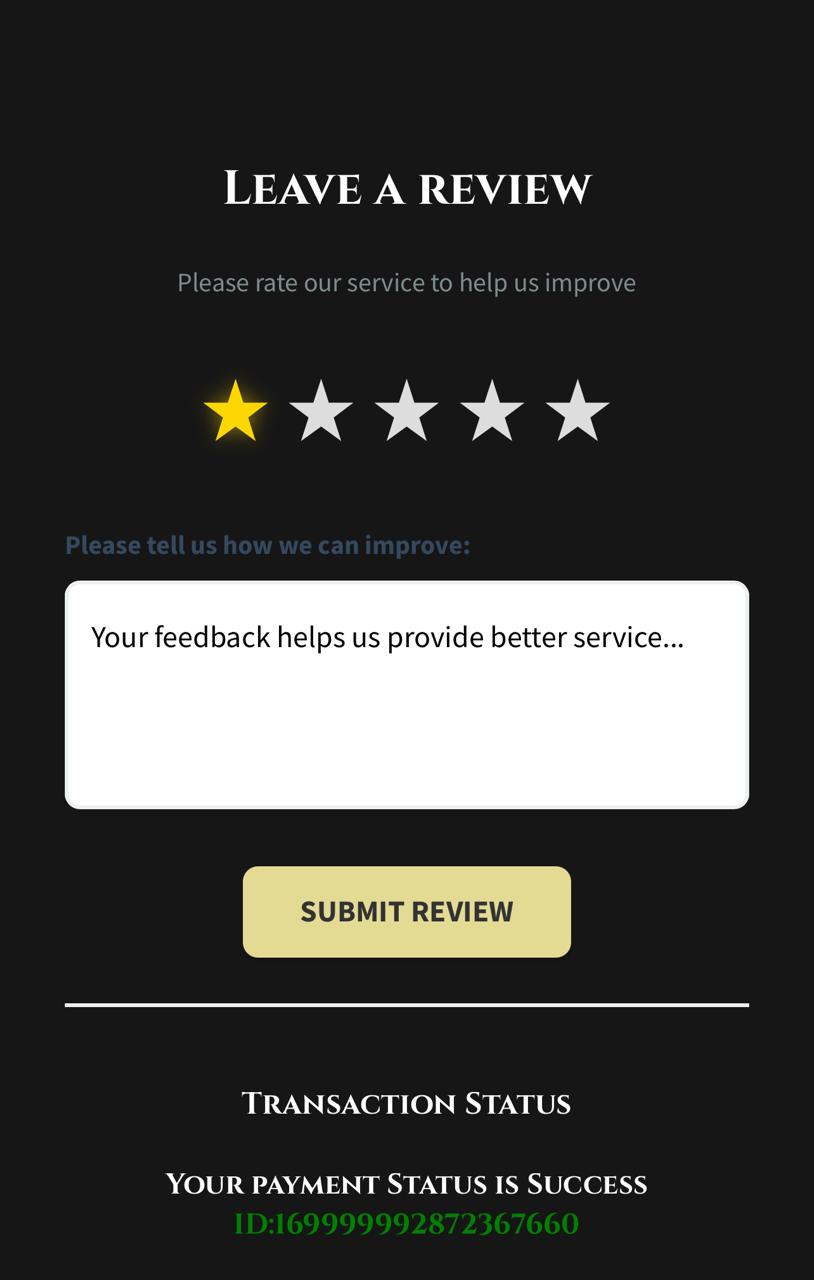
Step 4: Confirmation
Tips are instantly synced to the POS and staff can see their earnings in real-time
Discount Analytics
Track the performance of your discount strategies with comprehensive analytics:
Discount Usage Reports
- •Total discounts given per day/week/month
- •Most popular discount types
- •Discount redemption rates
- •Revenue impact analysis
ROI Tracking
- •Customer acquisition cost via promotions
- •Repeat visit rates from discounted clients
- •Average transaction value with/without discounts
- •Campaign effectiveness comparison
Master Your Pricing Strategy
Take control of discounts and tips with flexible tools that boost revenue and staff satisfaction.